
拼图APP
发表于|更新于
|浏览量:
背景
建设银行龙卡信用卡小程序有个拼图小游戏,如下图所示,感觉挺好玩的
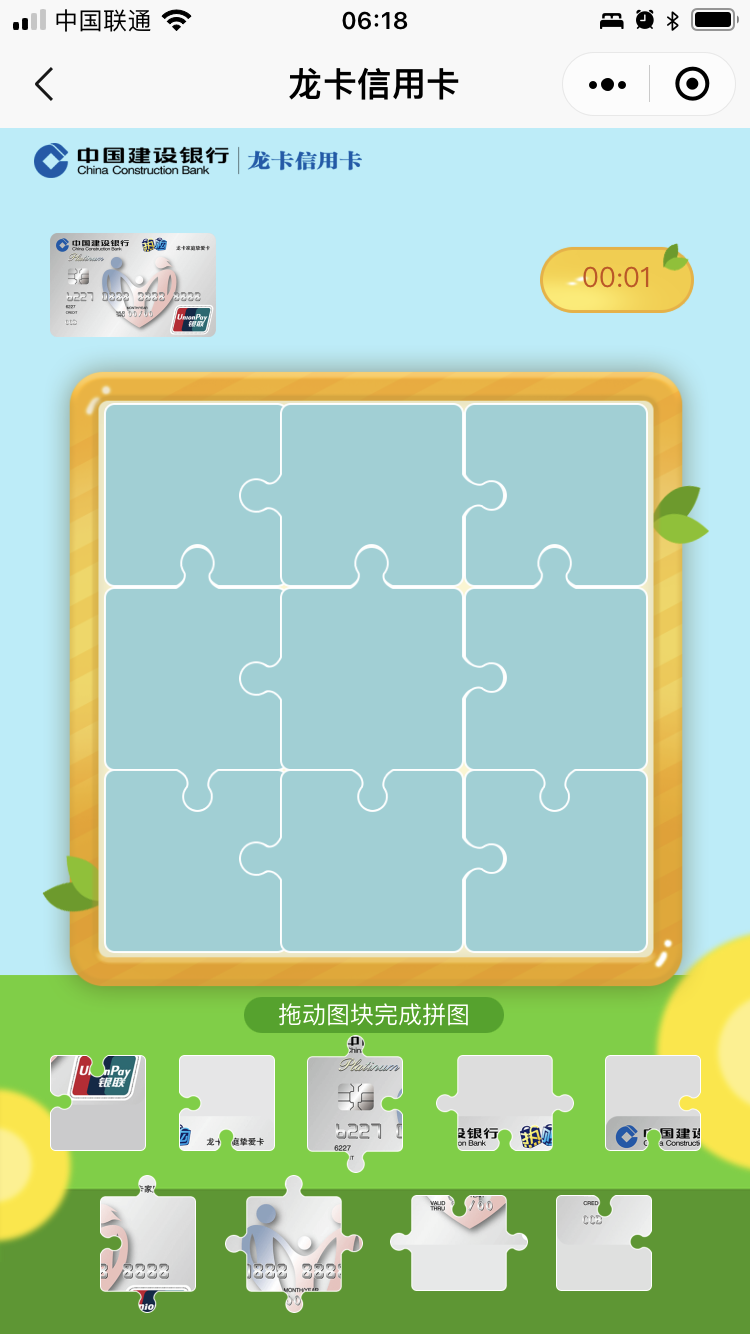
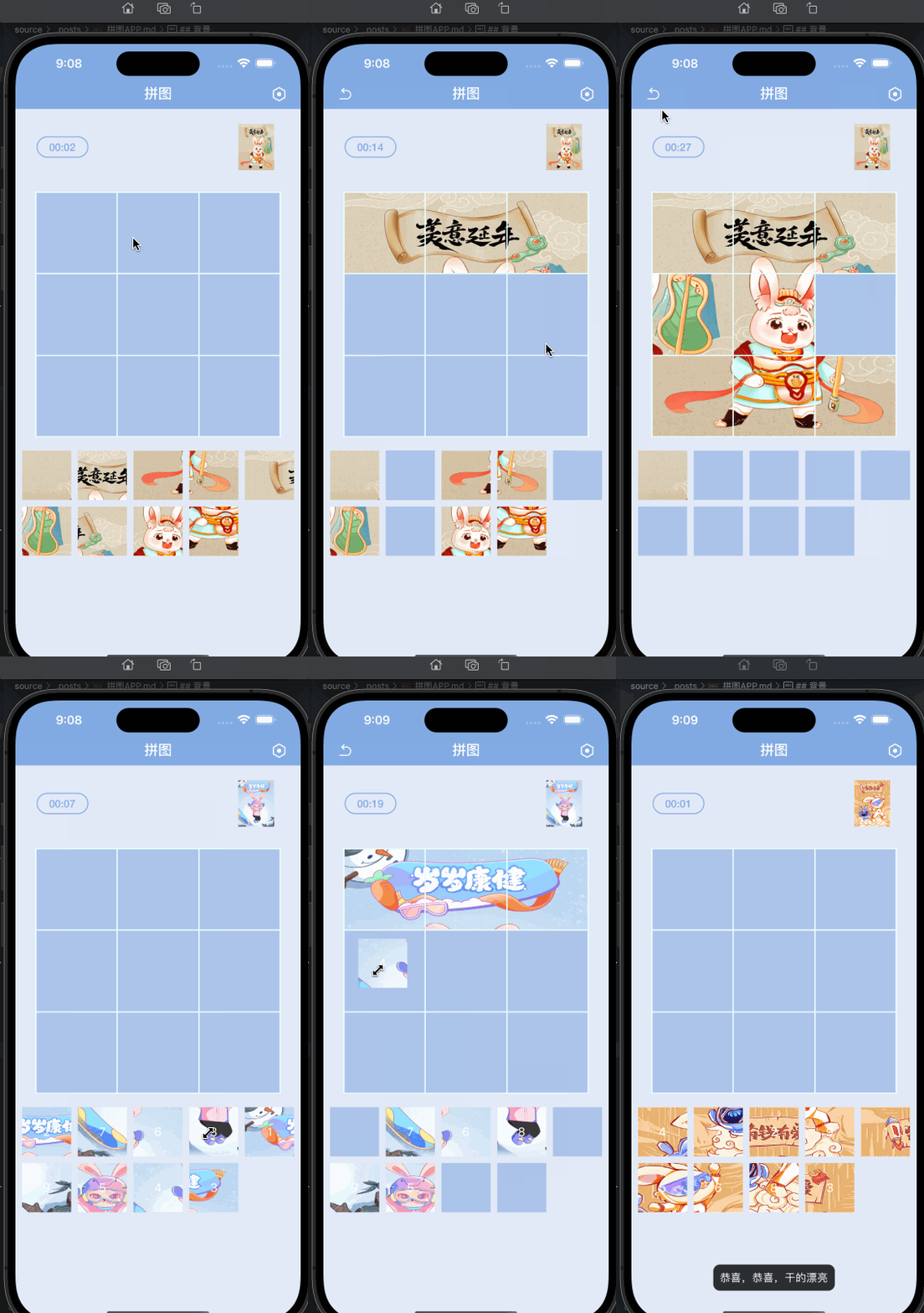
于是就试着做了一个APP版出来,简单有趣,给小孩玩耍再好不过了,开源出来,欢迎大家感兴趣的自己运行到手机上体验。
Github地址: 拼图
最终效果如下:
文章作者: 今是昨非
版权声明: 本博客所有文章除特别声明外,均采用 CC BY-NC-SA 4.0 许可协议。转载请注明来源 今是昨非的博客!
相关推荐
2023-04-06
Xcode 创建项目默认文案修改
背景最近需要修改Xcode创建项目默认文案修改,就是每次创建最上面默认生成的注释说明。想起来之前看原Raywenderlich(现在是Kodeco)网站下载的代码时,每个已存在的文件里都有一长串自定义的说明,而且新建文件的时候也是带有同样的自定义的说明,有过疑惑,但是没有仔细研究,今天研究下怎么实现的: Kodeco文件自定义的说明如下: 实现通过Customize text macros和Text macros reference 可以看出,Xcode默认头部文字注释默认定义如下: 12345678// ___FILENAME___// ___PACKAGENAME___//// Created by ___FULLUSERNAME___ on ___DATE___.// ___COPYRIGHT___// 然后参考Customizing the file header comment and other text macros in Xcode 9 可以确定修改的步骤是: 创建IDETemplateMacros.plist 添加或修改Root对应的type为...
2022-09-07
iOS 编译时间优化
背景目前App项目不大,但是清空后重新编译时间需要200多秒,感觉不太合理,所以,就着手排查了一下。 通常的编译时间优化都是分为三个部分 Xcode编译设置的优化 代码或函数编译时间的优化 三方库编译时间的优化 这里就根据上面三个部分来一一排查。 实现Xcode编译设置的优化使用的是Xcode 13.4,网上搜到的,关于Xcode设置New Build System,及Build Settings中设置Debug Information Format的都不需要设置了,默认已经是合理的。至于Optimization Level的设置,设置后,虽然编译速度可以提升,但是对于Debug不友好,所以,这里也不做设置。故而针对这项优化什么都没有处理。 代码或函数编译时间的优化这方面主要是针对Swift,首先把编译耗时的方法显示出来,在Build Settings中Other Swift Flags添加如下设置,意思是显示编译超过200ms的函数或者类型检查超过300ms的函数显示warning,这里200ms是自己设定,可针对项目的真实情况设置: 1234-Xfrontend -w...
2022-09-28
iOS CreateML的使用
CreateML使用背景业务需求,想要通过拍照识别照片中指定物体的数量或者物体的种类。而这种物体的模型网上没有训练好的,需要从头开始。所以调研了苹果的createML的实现方案,具体操作如下: 需求是:通过拍照识别照片中指定物体的数量,实现方案大致有几种: 通过第三方平台,训练数据,生成模型,提供前端使用 自己搭建平台,训练数据,生成模型,提供前端使用 通过苹果的CreateML工具,训练数据,生成模型,供iOS使用或转换成其他模型使用 对比可以发现,通过苹果的CreateML工具,可以省去搭建平台的过程。下面来看看怎么使用CreateML。 使用CreateML的整体流程是: 有大量的样本 标注所有的样本 用这些样本训练生成模型 验证模型的识别率 测试模型效果 导出模型供使用 需求是通过拍照识别照片中指定物体的数量,所以对我来说样本就是照片,下面就来看下怎么生成CreateML训练需求的标注信息。 使用样本照片标注首先要有大量的样本照片,这里由于是调研测试,所以选取20张照片,照片来源是百度图片。。。麻烦的是照片标注,由于苹果CreateML训练需要指定格式的J...
2023-07-14
iPA重签名 + 香色闺阁、微信重签名实战
背景换手机之后,原来的香色闺阁不能下载,转移的时候就丢失了。又最近看到有人截屏iPhone上装了两个微信,一个是自己重签名的;想到自己有开发者账号,但是还没试过重签名APP,是不是可以通过重签名来安装香色闺阁,以及实现多开微信? 步骤说干就干,首先从简单的开始,先来尝试重签名香色闺阁,再尝试微信,因为香色闺阁的包内容比微信的少很多,文件容易找,相对简单,步骤如下: 重签名香色闺阁首先从网上搜素下载香色闺阁的 ipa 包,没有的可以从这里yuedu.ipa下载。 然后将 ipa 改为 zip,然后解压,会出现一个 Payload 文件夹,里面有一个StandarReader.app的文件。选中StandarReader.app,右键显示包内容,可以看到APP包中的所有内容,如下图: 重签名就是用自己的账号新建一个APP(bundleID自己定义),运行到手机上,找到运行的包(xxx/DriveData/xxx/Build/Products/Debug-iphoneos/xxx.app)或者通过打包的方式,使用AdHoc方式生成一个iPA(用于获取到描述文件和Entitle...
2021-12-30
iOS 音频后台播放 && 锁屏显示及控制
播放锁屏通知栏显示背景播放音频时,希望通知界面能显示,且能控制音频播放。由于之前需求是进入后台时播放暂停,所以每次打开通知界面时,播放就暂停,看不到类似于音乐播放器那样的效果。后来发现,去除进入后台暂停代码后,通知界面就可以显示播放器,但是不能控制、且没有进度。 实现支持后台播放首先需要 APP 支持后台播放,即,一方面去除进入后台播放暂停的代码逻辑;另一方面,设置 Target -> Signing & Capabilities 中,添加 Backgroud Modes,打开 Audio, AirPlay, and Picture in Picture。图片如下: 注意设置AVAudioSession,播放前根据实际需要设置,播放后关闭 AVAudioSessionCategory类型 Category类型 当按”静音”或者锁屏时是否静音 是否可以和其他支持混音的 APP 混合播放 是否支持后台 场景举例描述 AVAudioSessionCategoryAmbient 是 是 否 常用于 APP 的背景音,比如玩游戏时还可以听音乐 AVAud...
2024-11-19
国行Mac 开启 Xcode inteligence 提示
背景电脑国行 Mac M1,内存 16G,版本 Sequoia 15.1,Xcode 16.1,在Xcode 设置中,Text Editing 下,Editing Tab下,能看到有个设置Predictive code completion,但是默认是关闭的, 国行的提示不支持,这里说的是怎么开启这个,亲测开启成功。 最终效果如下: 步骤参考XcodeLLMEligible,我用的是不 disable sip 的方式。 首先,在终端中,输入下面命令: 12345678# Override XcodeLLM onlycurl -L https://raw.githubusercontent.com/Kyle-Ye/XcodeLLMEligible/release/0.2/scripts/override.sh | bash -s -- install override xcodellm# Override Apple Intelligence onlycurl -L https://raw.githubusercontent.com/Kyle-Ye/XcodeLLMEli...